
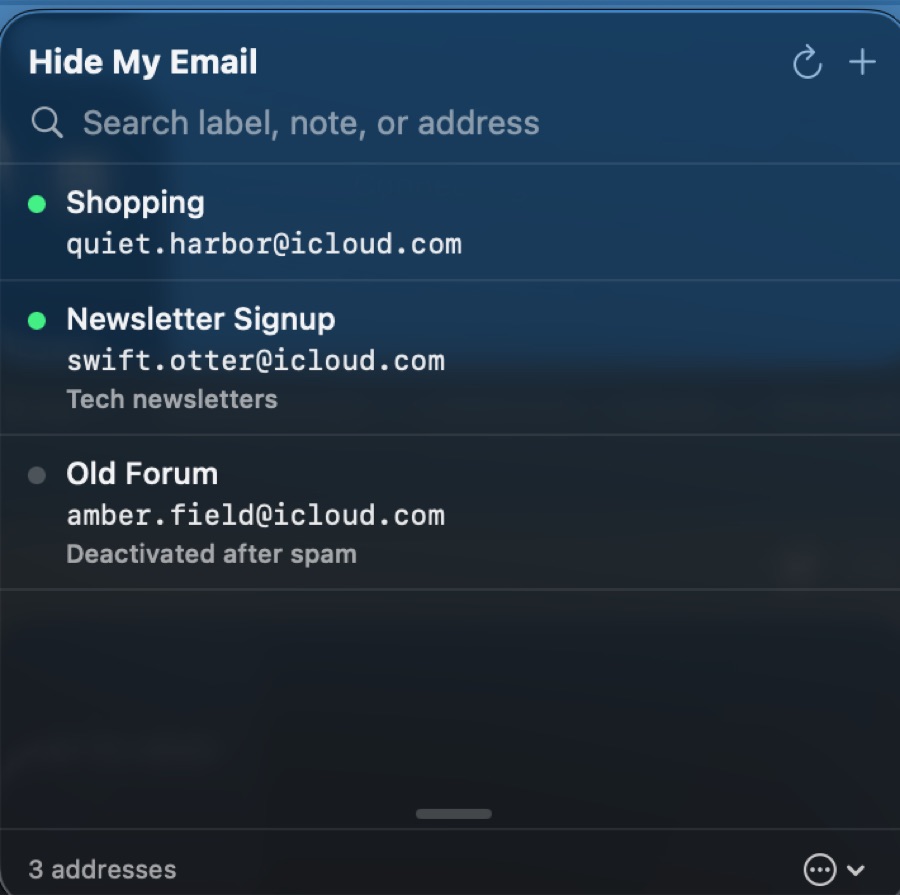
The menu bar popover, with sample addresses
About
Masque lets you create, search and manage your Hide My Email addresses without opening System Settings or icloud.com. Generate a new address, give it a label and a note, and reserve it, all from a small menu bar popover.
Sign-in is native: Apple ID, password and two-factor, including trusted-device codes, SMS and hardware security keys. Only Apple's trust token is stored, in your Keychain, so later launches skip two-factor. Masque has no servers and collects nothing.
Apple publishes no public API for Hide My Email, so Masque uses the same private endpoints as icloud.com. They can change without notice, and "Access iCloud Data on the Web" must be switched on for your Apple Account.
Features
Create addresses
Generate a candidate address, add a label and a note, and reserve it.
Search everything
Filter by label, note, address or forwarding address.
Manage in place
Edit labels and notes, deactivate, reactivate or delete. Active addresses are deactivated first, as Apple requires.
Native iCloud sign-in
Two-factor with trusted-device codes, SMS or hardware security keys.
Session kept in the Keychain
Your session is restored silently on the next launch until Apple expires it.
Resizable list
The address list height is drag-resizable and remembered across launches.
Open source
Apache-2.0 licensed, with notarised releases and a Homebrew cask.
Pricing
Free and open source
- MasqueApache-2.0 licenceFree
Install with Homebrew: brew tap stavrop/tap && brew install --cask masque