
FocusFence
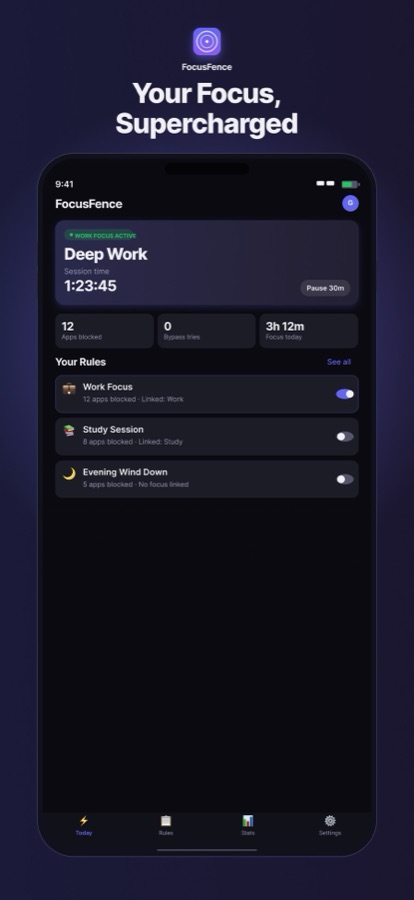
Turn on a Focus mode and your distracting apps switch off automatically.
Today 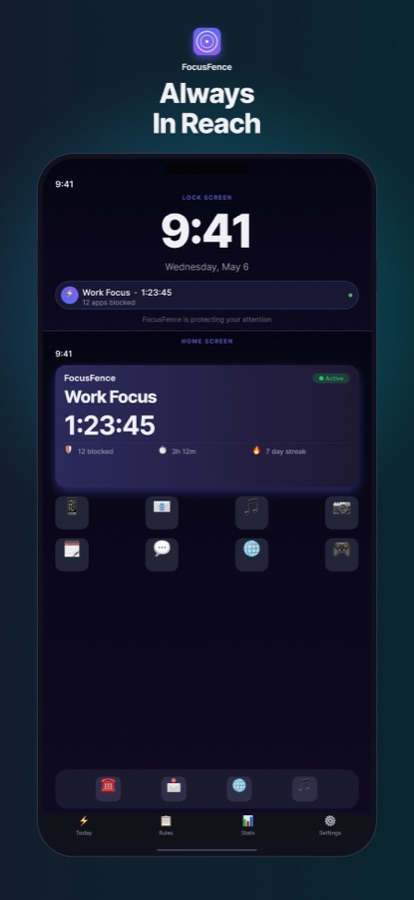
Lock Screen and widgets 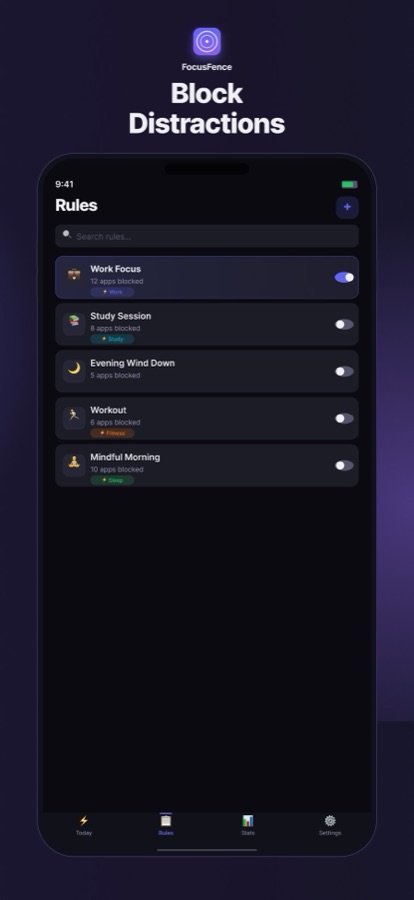
Rules 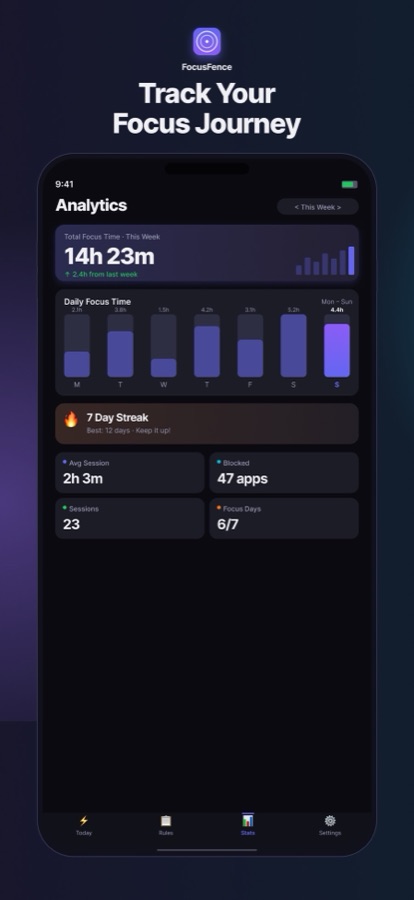
Analytics
About
Focus Fence adds a rules layer on top of Apple's Focus modes. You build a rule set, choose the apps and categories it should block, and link it to a Focus such as Work or Sleep. When that Focus turns on, the rules apply; when it ends, they lift.
Rule sets can also carry daily time limits per category, run on a schedule of their own, or be locked for a set period so you cannot talk yourself out of them. Everything is stored on the device, with no account and no tracking.
Features
Linked to Focus modes
Rules switch on and off with the Focus you pick, with no manual toggling.
Apps and categories
Block individual apps or whole categories with a single rule set.
Time limits
Set daily limits per category that only count while the rule set is active.
Commitment lock
Lock a rule set for a chosen period so it cannot be disabled early.
Scheduled activation
Run a rule set at set times, independent of any Focus mode.
Shortcuts and Siri
Activate, pause or switch rule sets from Shortcuts, Siri or Control Center.
Widgets
See the active rule set and session stats on the Home and Lock Screens.
Focus analytics
Track focus time, block attempts, session history and streaks.
Pricing
Free · Pro upgrade
- FocusFence Pro (monthly)$2.99
- FocusFence Pro (annual)$24.99
- FocusFence Pro (lifetime)One-time purchase$49.99
Pro unlocks unlimited rule sets and app blocking, scheduled activation, commitment lock, 30-day analytics and full Shortcuts support. Prices as listed on the US App Store (checked October 2026); they vary by region.