
AI Usage Limits
Claude and ChatGPT usage in your Mac menu bar, from the logins you already have.
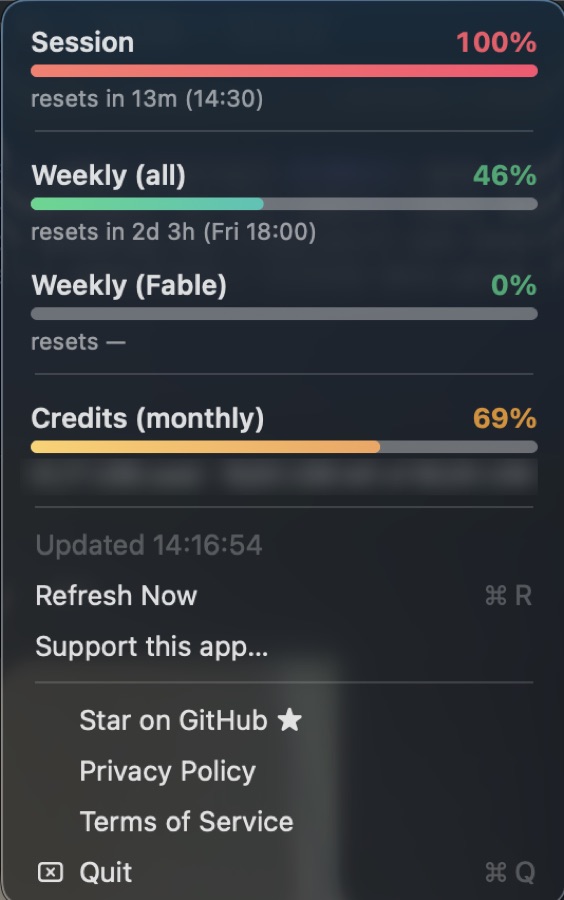
The menu bar dropdown
About
AI Usage Limits for macOS is a small menu bar app that shows your Claude and ChatGPT usage as live percentages with reset times. They are the same numbers that /usage in Claude Code and /status in Codex show, without opening a terminal.
It never asks you to sign in. It reads the credentials that Claude Code and the ChatGPT app or Codex CLI already stored on your Mac, and each token is sent only to its own provider. Each provider is polled independently, so one being signed out never affects the other.
It is free and open source, and unofficial: it reads undocumented usage endpoints, which may change at any time.
Features
Live usage in the menu bar
Percentages for Claude and ChatGPT sit in the menu bar; with one provider you also get a reset countdown.
Colour-coded breakdown
Click for a gradient bar per bucket, from green through amber to red, each with its reset time.
Alerts near the limit
A notification fires once per window when a bucket crosses your threshold, 90% by default.
Credit balances
Pay-as-you-go credits are shown for Claude, and a credit balance for ChatGPT accounts that have one.
Settings you control
Hide a provider, set the refresh interval and alert level, or point at a custom credential path.
No sign-in needed
It picks up logins already on your Mac and never writes to them.
Open source
Apache-2.0 licensed, with notarised releases, a Homebrew cask or a build from source.
Pricing
Free and open source
- AI Usage Limits for macOSApache-2.0 licenceFree
Install with Homebrew: brew tap stavrop/tap && brew install --cask ai-usage-monitor